Gaming Monitors: Complete Guide to Choosing the Ideal One
Discover how to choose the ideal gaming monitor with our complete guide. Learn about types, resolutions, and features to optimize your experience.
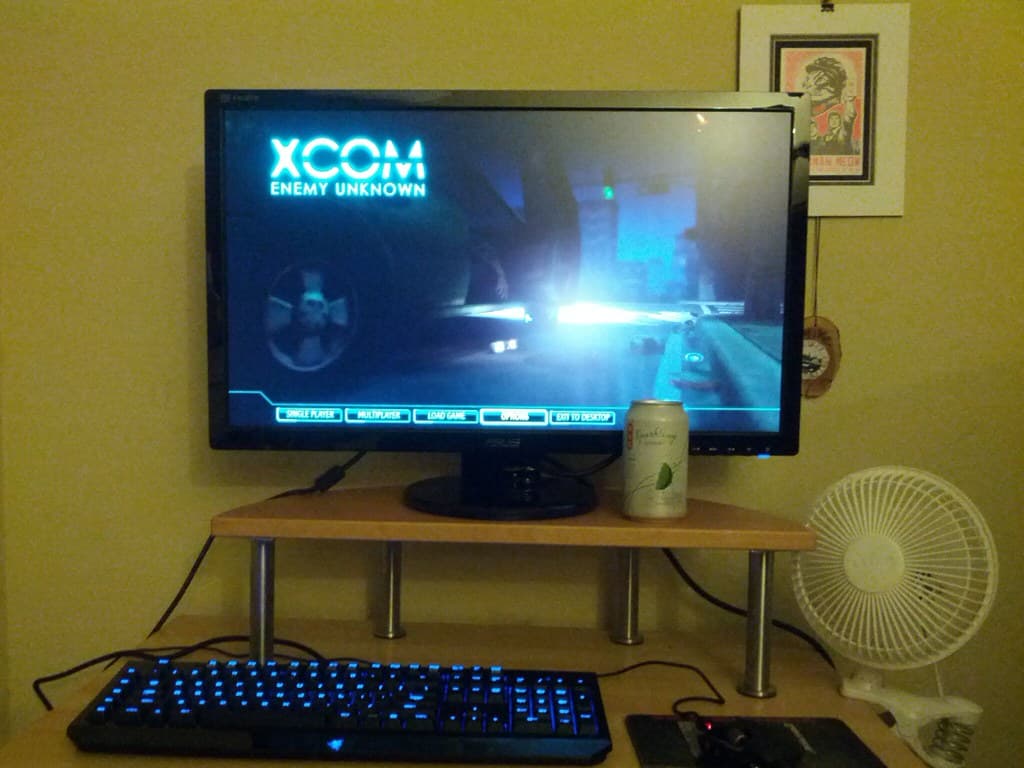
Choosing the ideal gaming monitor can be a challenging task, given the variety of models and specifications available on the market. From resolution to refresh rate, every detail can significantly impact the gaming experience. In this complete guide, we will explore the main aspects you should consider when selecting a monitor to ensure it meets your gaming needs.
Resolution and Size
Resolution is one of the most important factors when choosing a gaming monitor. Monitors with higher resolutions, such as 1440p or 4K, offer sharper and more detailed images. However, it is essential to consider the size of the monitor, as higher resolutions are better utilized on larger screens. Monitors ranging from 24 to 32 inches are commonly chosen by gamers, providing a good balance between size and image quality.
Refresh Rate
The refresh rate, measured in hertz (Hz), indicates how many times per second the image on the screen is updated. For gaming, a higher refresh rate, such as 120Hz or 144Hz, can provide a smoother and more responsive experience. This is especially important in competitive games, where every millisecond counts. Monitors with high refresh rates are preferred by players seeking a competitive edge.
Response Time
Response time is the time it takes for a pixel to change color, usually measured in milliseconds (ms). Monitors with low response times, typically 1ms to 5ms, are ideal for gaming, as they reduce motion blur. This is crucial for fast-paced action games, where image clarity can directly impact player performance.

Synchronization Technologies
Technologies like NVIDIA's G-Sync and AMD's FreeSync help eliminate screen tearing, a common issue in gaming where the image appears torn. These technologies synchronize the monitor's refresh rate with the graphics card's output, providing a smoother gaming experience. Choosing a monitor that supports these technologies can significantly enhance the visual quality of games.
Panel Types
Gaming monitors generally come in three panel types: TN, IPS, and VA. TN panels are known for their fast response times and lower cost, but they may have limited viewing angles and color reproduction. IPS panels offer excellent image quality and viewing angles but may have slightly higher response times. VA panels have great contrast but may suffer from slower response times.

Additional Features
In addition to technical specifications, there are other features that can be advantageous in a gaming monitor. Ergonomic adjustability, such as tilt and height, can improve comfort during long gaming sessions. Multiple inputs, such as HDMI and DisplayPort, also offer flexibility for connecting different devices. Some monitors even include RGB lighting or pre-configured gaming modes to optimize the visual experience.
Fun Facts
- Curved monitors can provide a more immersive gaming experience.
- Higher resolutions require more powerful graphics cards.
- Ultrawide monitors offer a wider view, ideal for racing games.
- Some gaming monitors come with built-in speakers.
- Monitors with HDR support offer more vibrant colors and better contrasts.
Tips for Choosing
- Prioritize refresh rate if you play competitively.
- Consider the monitor size in relation to the available space.
- Check the monitor's compatibility with your graphics card.
- Evaluate whether the monitor's ergonomics meet your comfort needs.
- Think long-term: invest in a monitor that can keep up with future hardware upgrades.
Conclusion
Choosing the ideal gaming monitor involves balancing various specifications and personal preferences. By understanding the different technical aspects, such as resolution, refresh rate, and panel type, you can make an informed decision that will significantly enhance your gaming experience. Remember to consider both your current and future needs to ensure that your investment is long-lasting.
Frequently asked questions
› What is the best resolution for a gaming monitor?
The choice of resolution depends on your budget and your graphics card's capability. 1440p and 4K offer sharper images but require more processing power.
› What is more important, refresh rate or response time?
Both are important, but for competitive gaming, a higher refresh rate may be more advantageous as it provides smoother gameplay.
› Is it worth investing in a monitor with G-Sync or FreeSync?
Yes, these technologies help eliminate screen tearing, providing a smoother and more enjoyable gaming experience.
You might also like

Intel Stock: Analysis of Q2 2026 Earnings Report
Discover how the Q2 2026 earnings report impacted Intel's stock and what to expect for the future.
Read article · 4 min read
The Best Graphics Cards for 4K Gaming
Discover which graphics cards are ideal for 4K gaming and how they impact the gameplay experience.
Read article · 3 min read
Mechanical Keyboard vs Membrane: Which One to Choose?
Discover the differences between mechanical and membrane keyboards and learn how to choose the best one for your needs.
Read article · 4 min read